
The short answer
Start by opening the current in-game quest, NPC, or unit panel. Older community guides describe a Kiro quest that leads to an Inactive Key of Babylon and a boss chain involving Heracles, Lilia, Archer, and a final stage, but the stage names and current availability do not agree across sources. If the route is visible in your game, follow the live requirements and keep the tier list as a role reference. If it is missing, treat the old route as historical information and do not spend gems, gold, or materials expecting a guaranteed unlock.
First check: is the Gilgamesh route active?
The highest-value answer is not a copied stage number. It is whether your current client exposes the route. Limited units, event quests, NPC rewards, and special keys can be rotated, renamed, or disabled. A search result can still show an old guide after the game has changed, so read the in-game panel before farming anything.
As of this page check on September 22, 2026, public sources disagree about whether the original Gilgamesh route is still obtainable. Some pages preserve the quest walkthrough, while others describe the unit as unavailable after the original window. That conflict is useful evidence: it means availability should be reported as a live check, not as a permanent fact.
- Open the current quest, NPC, or unit menu and look for a visible Gilgamesh requirement.
- Check whether the named key, stage, and reward appear in your own version.
- If only a third-party guide mentions the route, label it historical until the game confirms it.
- Record the check date before sharing a route with another player.
The documented original route
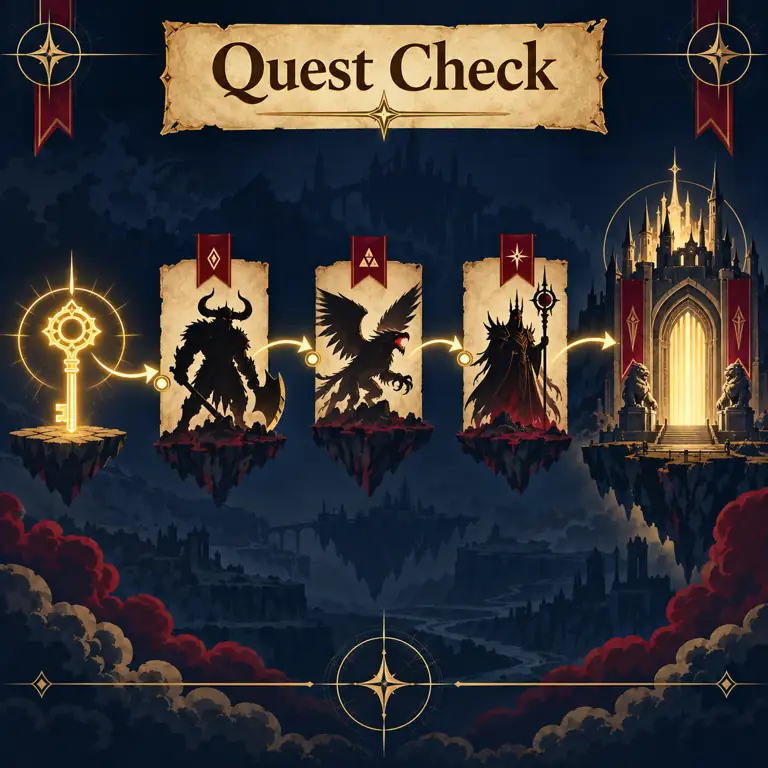
Older community walkthroughs generally describe the same shape: speak with Kiro, obtain or activate a special Babylon key, clear a sequence of named encounters, and finish the final stage that awards or unlocks Gilgamesh. The exact act and difficulty labels are not consistent. One source may call the Kiro entry a Story stage while another calls it a Legend stage, so copy the objective shown in game instead of trusting a number copied from a screenshot.
The route is best treated as a checklist of dependencies. You need the correct NPC or quest entry, the required currency or key state, the boss chain, and the final reward flag. Missing one dependency can make a player think the unit is bugged when the real issue is an outdated route, a different difficulty, or a closed event window.
- Find Kiro or the current quest giver in the active version.
- Read the exact key name and requirement; older guides commonly call it the Inactive Key of Babylon.
- Confirm the required gold, stage, and difficulty before entering a farm loop.
- Track the named boss encounters one at a time instead of assuming every clear counts.
- After the final clear, reopen the unit or quest panel and verify the reward state.
How to verify each step in the game
Use a three-part evidence rule. First, the game must show the objective or reward. Second, the run must produce a visible completion state, item, or counter. Third, the unit panel must reflect the result. A community post can help you find the area, but it cannot replace the in-game confirmation when a live-service experience has changed.
If a step fails, do not immediately repeat the same run. Compare the stage name, difficulty, party requirement, key state, and reward text. Then check the current update or event notice. This approach saves resources and also gives you a clean note to report if the route is temporarily disabled.
- Screenshot or write down the current objective before starting.
- Confirm the stage label and difficulty on the entry screen.
- Check the inventory or quest counter after a successful clear.
- Refresh the unit panel before deciding that a reward did not count.
Inactive Key, Active Key, evolution, and Familiar wording
Search results now mix several Gilgamesh terms: an Inactive Key of Babylon, an activated or upgraded key, evolution requirements, and newer Familiar or build discussions. These terms should not be treated as one guaranteed system. The key may describe an unlock dependency, while evolution or Familiar content may describe a later progression layer, a different update, or a separate community shorthand.
Read the label that appears in your game and preserve it in your notes. If the panel says the key is inactive, the next action is to find its activation objective; if it shows an evolution material, the unit must already be unlocked; if it mentions a Familiar, verify that the feature is available to your account. Do not buy or farm an item solely because a search result uses a familiar-sounding name.
- Match the exact capitalization and wording used by the current panel.
- Separate unlock, activation, evolution, and Familiar steps in your checklist.
- Treat old screenshots as context, not proof of the current item pool.
- Link the final state back to the unit panel before investing rare materials.
How to judge Gilgamesh for your team
Getting Gilgamesh and deciding whether to build him are separate questions. The site tier list is a comparison tool, not an official promise that one unit solves every stage. Test the unit against the job your account lacks: wave clear, boss damage, range coverage, support uptime, control, or economy. A rare unit can still be the wrong first investment if your account is missing a cheaper role that enables every run.
For a fair test, use the same stage, placement rules, traits, supports, and upgrade budget. Record what changed in the run rather than only the headline damage number. If Gilgamesh changes a real breakpoint or lets the team replace a weaker bridge unit, that is stronger evidence than a copied ranking.
- Compare wave consistency and boss timing separately.
- Check whether the unit needs support, a trait, or a special key state to perform.
- Measure the account result: earlier placement, fewer leaks, or a safer boss clear.
- Use the current tier list for context, then retest after balance changes.
Protect resources before chasing a limited unit
A limited-unit chase has an opportunity cost. Before farming, claim any verified rewards, reserve the materials needed for your next guaranteed milestone, and decide what a failed route attempt costs your account. The goal is not to discourage the chase; it is to prevent an outdated guide from consuming the gems, gold, or upgrade materials that keep your team functional.
A simple budget has three layers. Keep the next progression purchase safe, fund the role that currently blocks your clears, and spend the remaining surplus on Gilgamesh testing or optimization. If the route is closed, stop at the first blocked dependency and wait for a confirmed update instead of turning uncertainty into a resource sink.
- Check the current codes page before spending summon or reroll resources.
- Keep enough currency for the next account milestone.
- Do not sacrifice a missing support or economy role for a theoretical ranking.
- Write down a stop condition before starting a repeated farm.
How to keep this guide current
Gilgamesh information is especially sensitive to event windows, stage labels, key names, and balance changes. When the game updates, re-check the NPC, the item description, the stage requirement, and the reward state in that order. Then update the route note only when a player-facing decision actually changes. This keeps the page useful without pretending that a community estimate is an official changelog.
The date near the top tells you when this page was checked, not how long a route is guaranteed to remain open. If your game shows a different requirement, trust the current in-game text, capture the exact difference, and use the contact page to report it. The next revision can then distinguish a real version change from a guide that simply used a different difficulty label.
- Re-check live availability before repeating an old route.
- Compare item names, stage names, difficulty, and reward text separately.
- Keep historical steps labelled as historical when the live panel differs.
- Update the recommendation after a meaningful change, not after every rumor.
Gilgamesh decision visual
Use this three-part check to separate an active route from an old walkthrough and a useful unit investment.
The live panel is visible
A current NPC, quest, key, or reward state is stronger evidence than a search snippet.
Every dependency is confirmed
Key state, stage, difficulty, boss counter, and final reward should agree in the same version.
The account result improves
Build only after a fair test shows better wave, boss, support, or economy outcomes.
Gilgamesh route decision matrix
This table keeps the most common guide errors separate: an active route, a historical route, and a role decision are not the same thing.
| Check | Safe conclusion | Next action | Risk if skipped |
|---|---|---|---|
| Quest entry | The current NPC or quest appears in game. | Only an old page mentions it. | Do not farm a route that may be closed. |
| Key state | The exact key name and objective are visible. | The item name is only inferred from a guide. | Inactive and active steps can be different dependencies. |
| Boss chain | The counter or reward updates after the clear. | The stage or difficulty does not match. | Repeated clears may not advance the intended quest. |
| Team value | The unit changes a real breakpoint. | The ranking is the only reason to invest. | Rarity does not replace a missing account role. |
Five-step Gilgamesh check
1. Open the live panel
Check the current quest, NPC, unit, or key panel and record the exact wording before you search for a walkthrough.
2. Match the entry
Confirm the map, act, difficulty, and party requirement shown by the game. Do not silently replace them with an older stage number.
3. Clear one dependency
Run the named objective once, then check the counter, inventory, or reward flag before repeating it.
4. Verify the unlock state
Refresh the unit panel and separate an unlock, an activated key, an evolution, and a Familiar requirement.
5. Test the team result
Use a controlled wave and boss test, compare the same budget, and keep the unit only when the account outcome improves.
Anime Vanguards Gilgamesh FAQ
How do you get Gilgamesh in Anime Vanguards?
The documented original route starts with a Kiro quest and a special Babylon key, followed by named stage or boss requirements. Because public sources disagree on stage labels and current availability, open the live in-game quest or unit panel first and follow its exact objective.
Is Gilgamesh still obtainable in Anime Vanguards?
Availability can change with event and update windows. On September 22, 2026, public guides did not agree, so this page treats the in-game panel as the authority. If no current NPC, quest, key, or reward state appears, do not assume an old route is active.
Where is the Inactive Key of Babylon?
Older walkthroughs associate the key with a Kiro entry, but the exact stage and difficulty vary between sources. Verify the current NPC dialogue and item objective instead of farming a copied stage number.
Should Gilgamesh be my first investment?
Not automatically. Compare the unit with the role your account lacks and test wave, boss, support, and economy outcomes under the same budget. A rare unit is valuable when it changes a real progression breakpoint.
Are Gilgamesh evolution and Familiar guides the same thing?
Not necessarily. Search results use those terms for different progression layers and updates. Read the current in-game label and keep unlock, key activation, evolution, and Familiar steps separate.
Can this page guarantee a Gilgamesh unlock?
No. This is a fan guide built around verifiable checks, not an official reward guarantee. Live game text, event status, and update notes can override an older route.
Summary
Treat Gilgamesh as a two-part decision: confirm that the route is live, then decide whether the unit solves a real team problem.
The safest workflow is to verify the current panel, record exact key and stage wording, confirm each reward state, and test the account result before spending scarce resources.
Sources and limits
This page was checked on September 22, 2026. Public community guides preserve useful historical steps but disagree on availability and stage labels, so the current in-game panel remains the final authority. The illustrations are editorial concept art generated for explanation, not official Anime Vanguards screenshots.